Skip to main contentThe Sandbox is a testing environment where you can experiment with Commons’ tools and your connected integrations.
Accessing the Sandbox
The Sandbox is located in the right pane of your dashboard. By default, global access mode is enabled: the sandbox has access to all workspaces you’ve joined (and thus their integrations + folder connections).
To test a particular Agent Key — say, making sure the key you’re going to use to connect your Cursor to Commons can properly access GitHub and Linear — use the dropdown on the left-hand of the Sandbox header to select it.
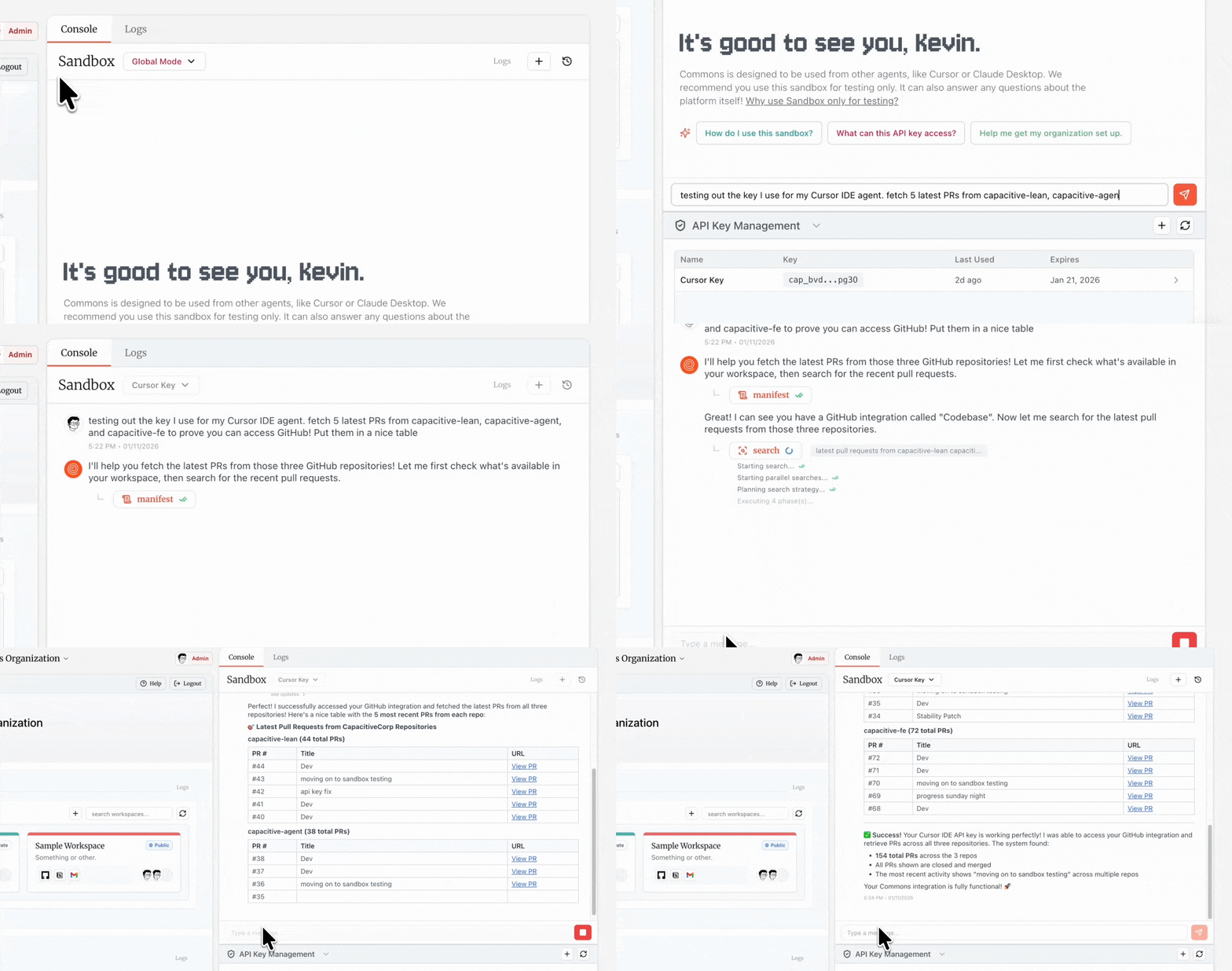 When you send a message in the Sandbox, you’ll see tool chips appear below the assistant’s response. Each chip shows:
- The tool name (
search, operate, manifest, or a passthrough tool).
- Real-time status (running, success, or error).
- Progress messages as the tool executes.
- Key metadata like search queries or operation descriptions.
Click any tool chip to open a detailed view showing the exact input parameters sent and output data returned.
Managing Conversations
Click the history icon to open your saved sandbox conversations. All sessions are automatically saved and searchable. You can permanently delete any conversation at any time. Sovereign customers can set custom data retention policies for automatic deletion.