

Types of Integrations
When adding an integration, you’ll choose whether it’s global or per-user:- Global integrations: One connection serves the entire workspace. The workspace owner connects the integration once, and all workspace members can access it.
- Per-User integrations: Each workspace member connects their own personal account. The workspace owner creates the integration slot, then each member connects their own credentials.
Adding Integrations
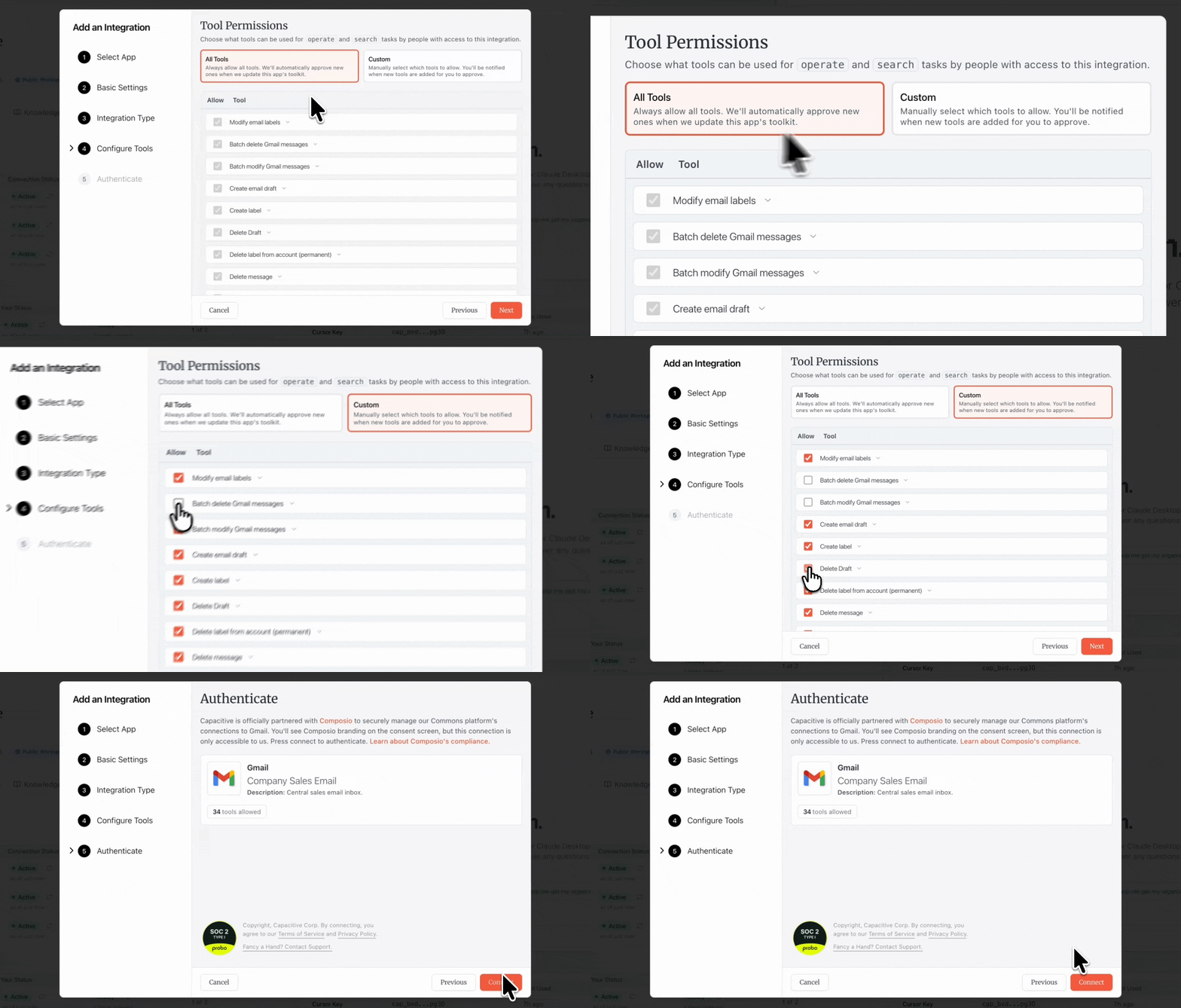
Workspace owners can add integrations from the workspace settings page. After selecting an integration and choosing global or per-user, you’ll configure which tools to expose and authenticate via OAuth.Tool Permissions
When adding an integration, you’ll choose which tools from that integration should be accessible:- All mode: Grants access to all available tools from the integration. This simplifies setup and ensures agents can use any capability the integration offers.
- Custom mode: Manually select which specific tools to allow. Useful when you want to restrict access to sensitive operations or limit what agents can do with the integration.
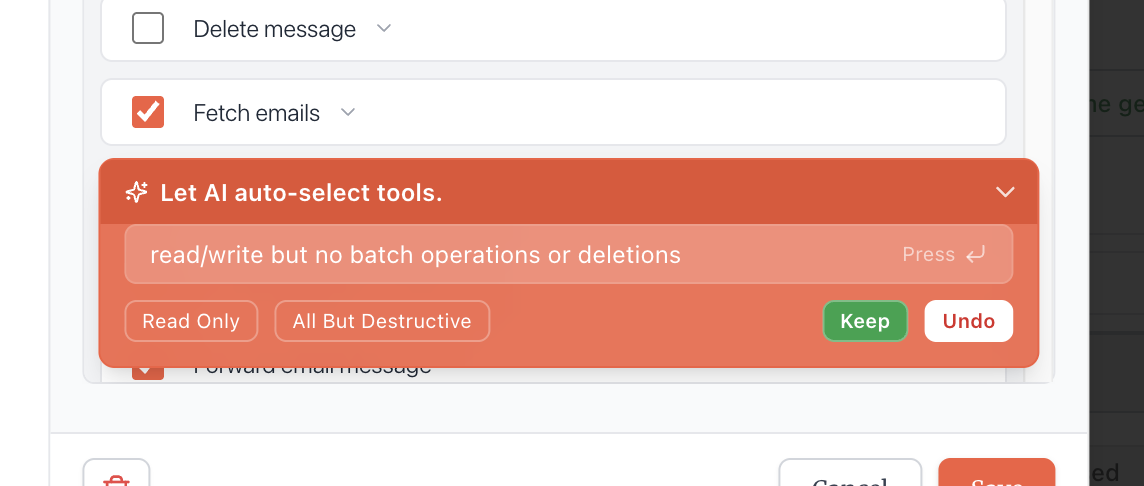
 When adding or editing an integration’s tools, if you’re in custom mode, you can simply type what types of tools you want to allow and our wizard will filter the tools for you.
OAuth Connection
You’ll now grant Commons permission to access specific data and capabilities from that service. Commons is officially partnered with Composio to securely manage our platform’s connections to external services. You’ll see Composio branding on consent screens during OAuth flows, but these connections are only accessible to Commons. Learn more about Composio’s compliance and security.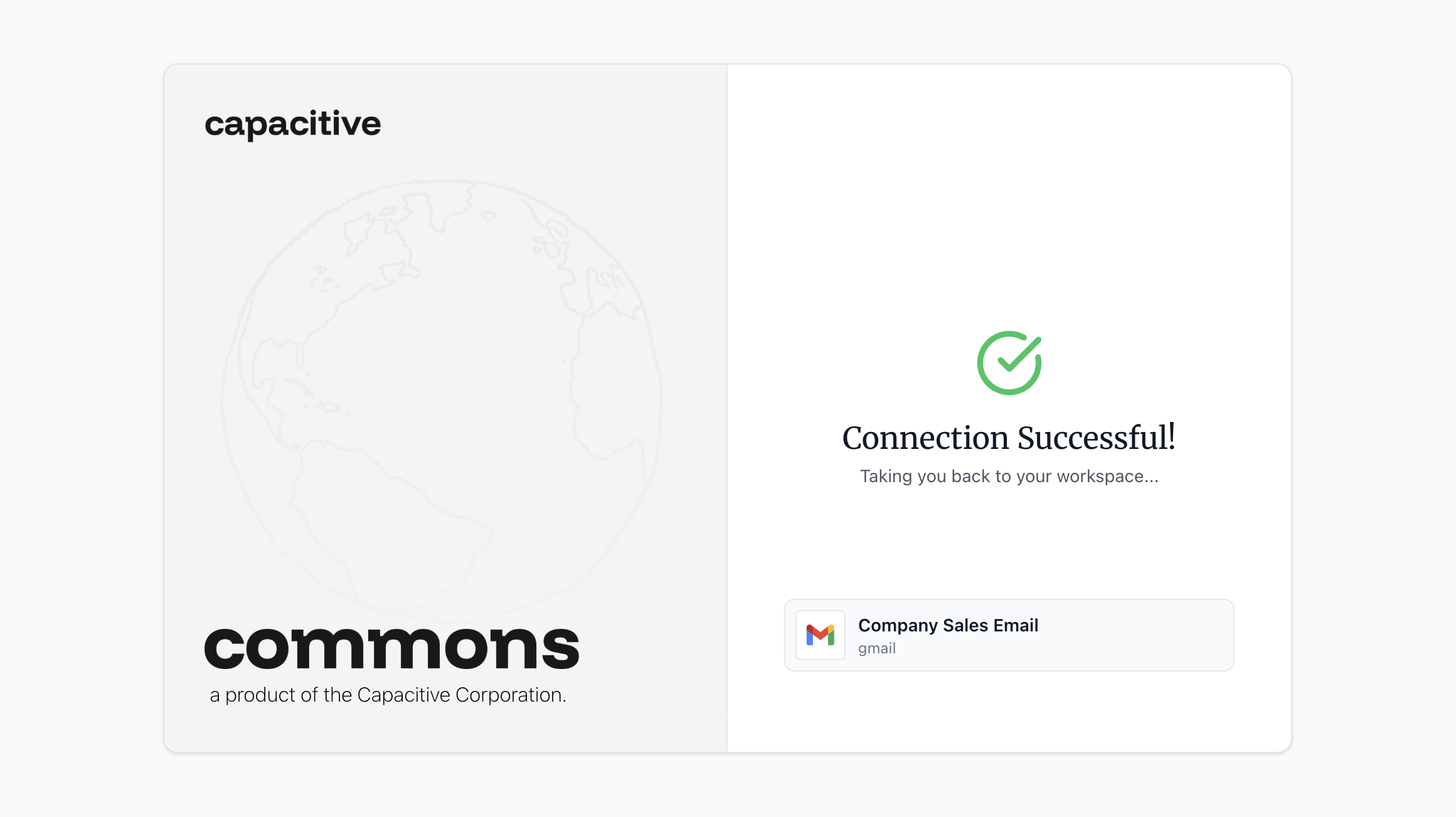 For global integrations, you’ll authenticate now through the OAuth consent process. Once connected, all workspace members can immediately use the integration.
For per-user integrations, no authentication happens at this step. You’re creating a slot that each workspace member will authenticate to with their own account.
For global integrations, you’ll authenticate now through the OAuth consent process. Once connected, all workspace members can immediately use the integration.
For per-user integrations, no authentication happens at this step. You’re creating a slot that each workspace member will authenticate to with their own account.
Per-User Connections
Click on the per-user integration and press connect. Then, authenticate with your credentials. Only you can access data from your personal connection — other workspace members can’t see your emails, calendar, or other personal data.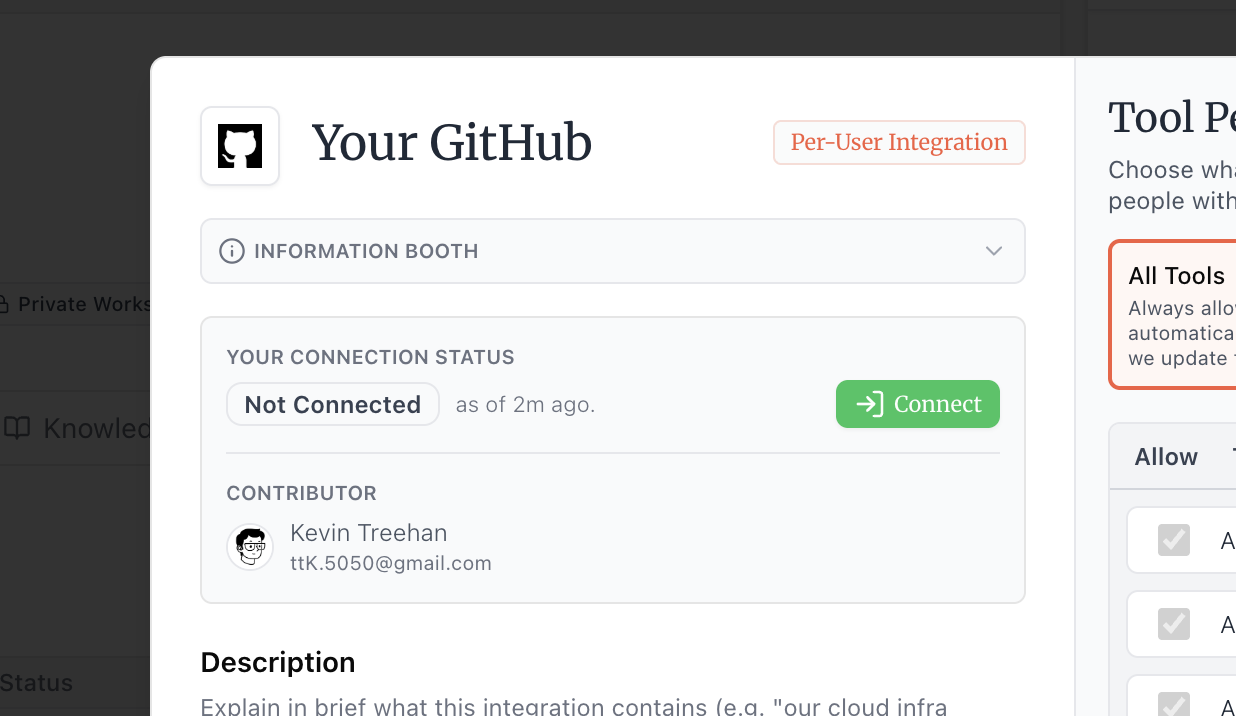
Lightspeed Search
Lightspeed Search is an indexing feature powered by Airweave that periodically scans and indexes your integration’s data, enabling near-instant search across your connected services. It’s available for select integrations. You can configure how often data gets indexed using the sync schedule dropdown, or trigger manual syncs whenever needed. The default sync cycle is one day. For our GitHub integration, you will be prompted to select which repositories you would like us to index.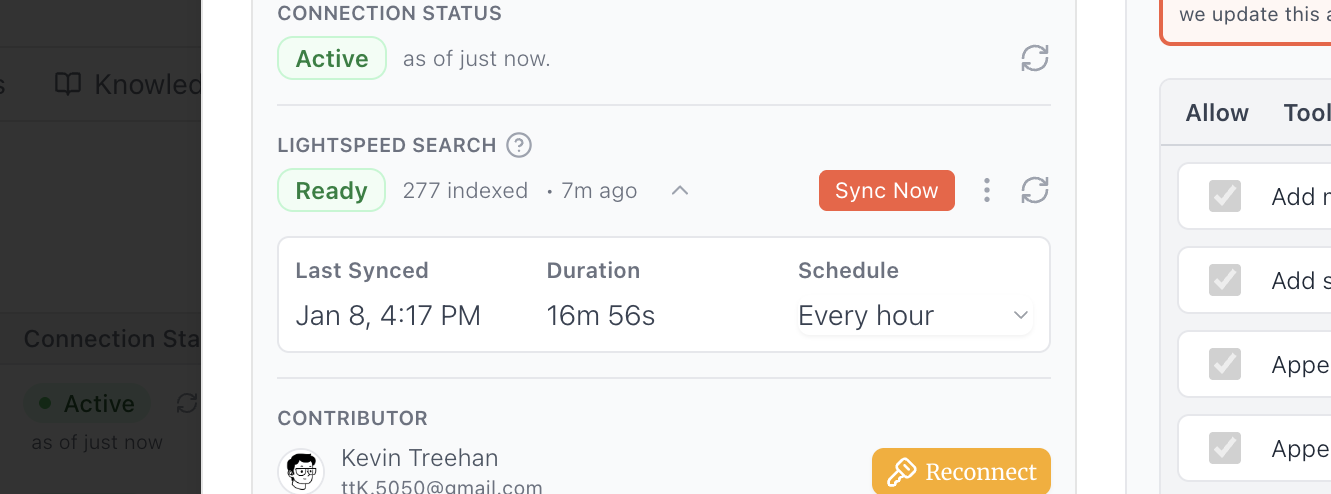
Managing Integrations
Workspace members can view all integrations and their connection status and Lightspeed Search status (if applicable) at-a-glance in workspace settings. Adjustments to tool permissions and other settings can be made by clicking on the integration. You can delete an integration at any time — this will revoke access and remove it from the workspace. If you need to reconnect an integration (for example, if credentials expired), click on the integration and press reconnect.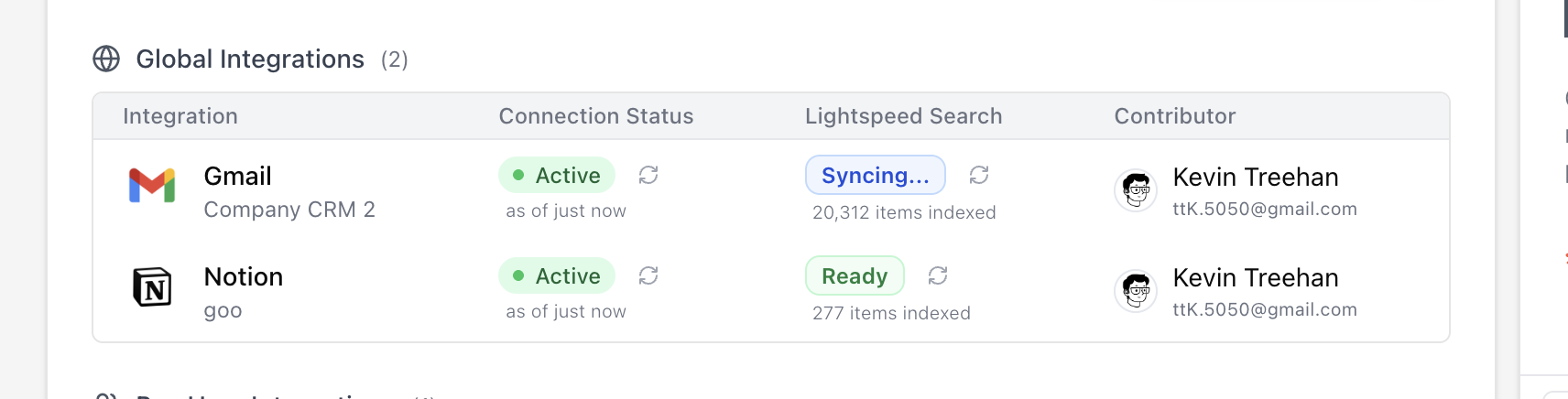
Supported Integrations
We’re happy to build new connectors for you on request. We’ll soon support hosting your own custom MCP servers on Commons. And, if any current integration doesn’t meet your needs, we’re happy to improve it for you. Press the orange help button in the bottom right of your dashboard to start a live chat with us. Or, reach us at [email protected].View all supported integrations (39)
View all supported integrations (39)
| Integration | Category | Description |
|---|---|---|
| Airtable | Project Management | Track and collaborate on your database. |
| Asana | Project Management | Manage your projects and tasks. |
| Bitbucket | Project Management | Host Git repositories and collaborate. |
| Calendly | Calendar & Scheduling | Manage and edit your events. |
| ClickUp | Project Management | Track tasks and manage projects. |
| Confluence | Project Management | Collaborate on documents and knowledge bases. |
| Dropbox | File Storage & Documents | Store and share your files. |
| Figma | Other | Design and prototype interfaces. |
| GitHub | Project Management | Host and manage your code. |
| GitLab | Project Management | Manage code repositories and CI/CD. |
| Gmail | Communication | Send and receive emails. |
| Google Analytics | Data & Research | Analyse metrics & more. |
| Google Docs | File Storage & Documents | Create and edit documents. |
| Google Drive | File Storage & Documents | Store and access your files. |
| Google Meet | Communication | Host video conferences and meetings. |
| Google Sheets | File Storage & Documents | Create and edit spreadsheets. |
| HubSpot | CRM & Sales | Manage your customer relationships. |
| Intercom | Communication | Chat with customers and provide support. |
| Jira | Project Management | Track issues and projects. |
| Linear | Project Management | Track and view your software development. |
| Communication | Access your professional network. | |
| Mailchimp | Communication | Manage and create email campaigns. |
| Microsoft OneDrive | File Storage & Documents | Store and access your files. |
| Microsoft Outlook | Communication | Manage your emails and calendar. |
| Microsoft Teams | Communication | Communicate and collaborate with your team. |
| Miro | Other | Create collaborative whiteboards. |
| Monday | Project Management | Manage and edit your internal CRM. |
| Notion | Project Management | Organize your notes, tasks, and wikis. |
| PagerDuty | Communication | Manage incidents and on-call schedules. |
| Pipedrive | CRM & Sales | Manage sales pipelines and deals. |
| Salesforce | CRM & Sales | Manage your sales and customer service. |
| Shopify | CRM & Sales | Build an online store, manage sales, market to customers, and accept payment. |
| Slack | Communication | Communicate and collaborate with your team. |
| Snowflake | Databases & Infrastructure | Manage your data warehouse and analytics. |
| Stripe | CRM & Sales | Process payments and manage subscriptions. |
| Supabase | Databases & Infrastructure | Build and manage your backend. |
| Todoist | Project Management | Organize tasks and to-do lists. |
| Trello | Project Management | Organize tasks and collaborate on boards. |
| Zoom | Communication | Host video meetings and webinars. |