
manifest, search, and operate. These tools provide intelligent routing, parallel processing, and approval-based workflows across all your integrations.
You can also allow agents to discover and invoke specific tools from an integration (say, JIRA_LIST_TICKETS) without going through the engine. See Passthrough Tools.
 For Reference Only
You don’t have to memorize how these tools work or what parameters they require. Your agent will handle all the technical details automatically. This documentation is here for reference when you need it.
For Reference Only
You don’t have to memorize how these tools work or what parameters they require. Your agent will handle all the technical details automatically. This documentation is here for reference when you need it.
search
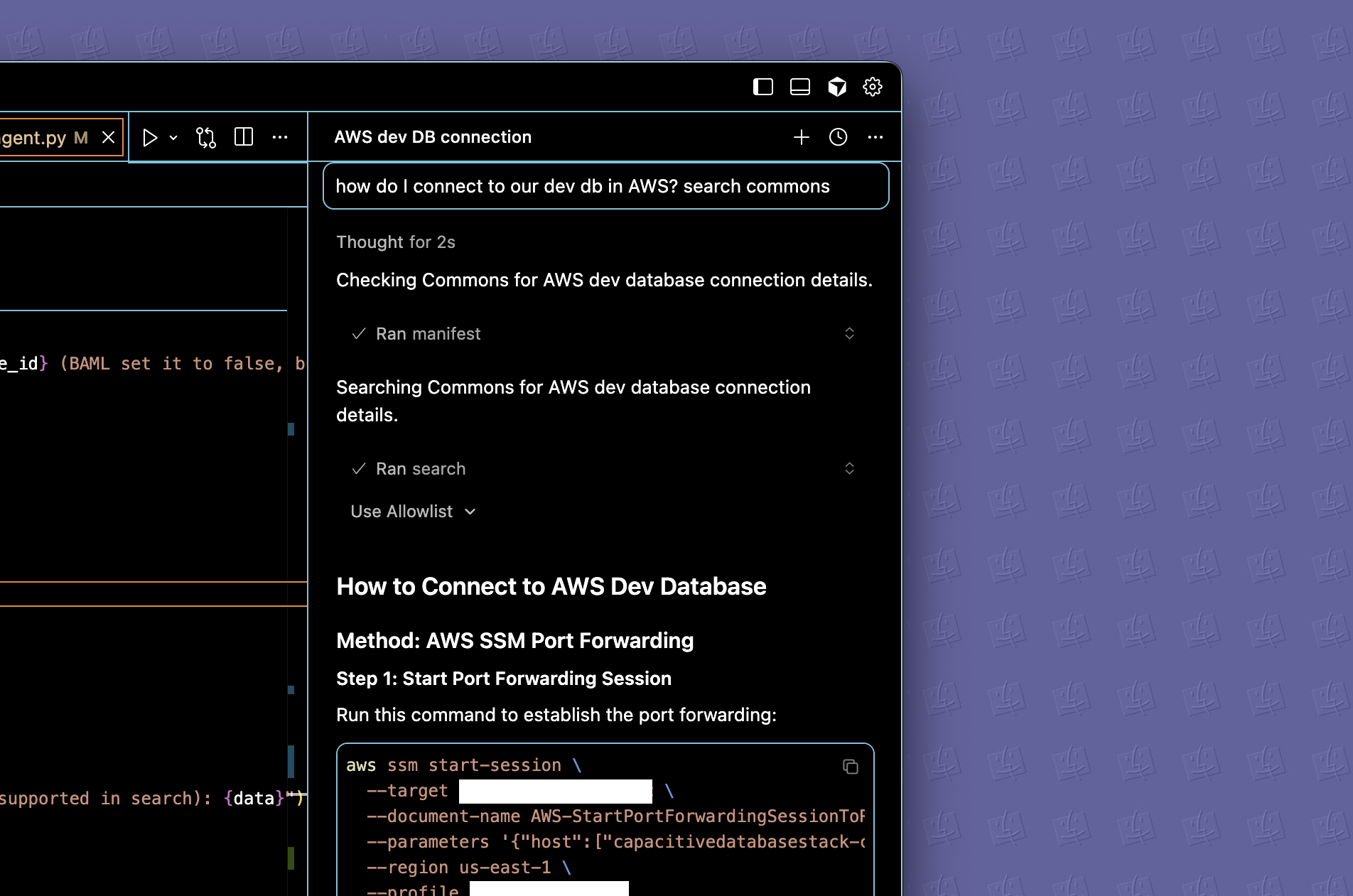
Searches apps, files, and webpages, then returns ranked results with scores and metadata. Our engine intelligently routes queries to the most relevant integrations based on the search content. Integrations are searched in parallel with early termination when sufficient results are found.Details
Details
Source types:
- Apps: Connected integrations (Slack, GitHub, etc.) in the workspaces the Agent Key can access.
- Files: Documents uploaded to folders the Agent Key’s workspaces can access.
- Webpages: Documentation pages crawled in the folders the Agent Key’s workspaces can access.
| Parameter | Type | Default | Description |
|---|---|---|---|
query | string | — | Natural language search query |
source_types | string | "all" | ”all” or comma-separated list like “app,file,webpage” |
integration_ids | string | "" | Leave empty to search all, or specify UUIDs for specific integrations |
limit | number | 10 | Maximum results per source type |
operate
Plans and executes multi-step tasks through an approval-based workflow. This enables complex operations that require multiple actions like “yo, look at my open tickets, compare them to the sprint board, and sync the status.”Details
Details
How it works:
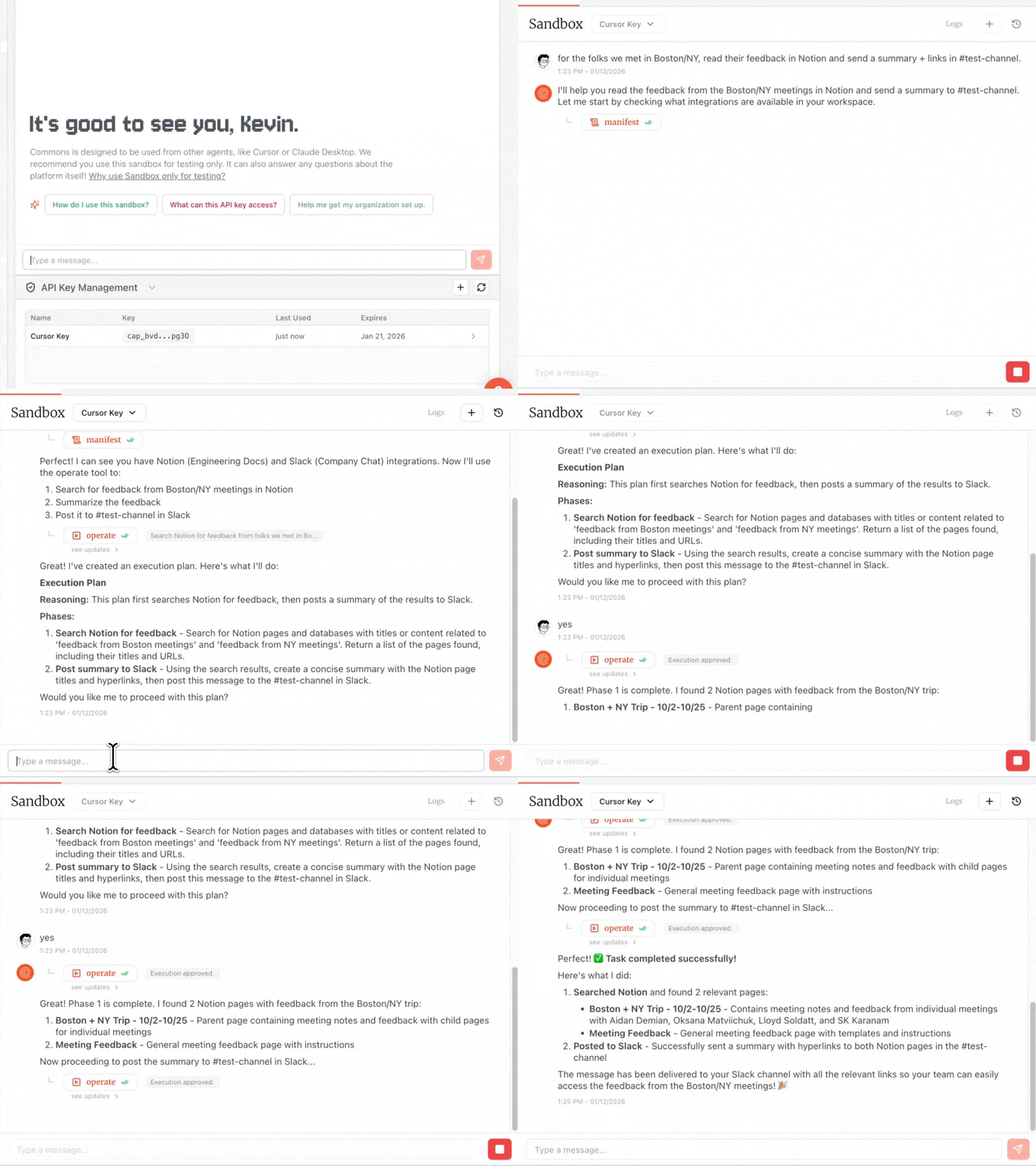
- Compilation: Your agent tells Commons it’s intent. Commons compiles a plan based on available integrations and knowledge and returns it to your agent.
- Reviewal: Your agent recieves and reviews a structured breakdown of phases and actions that will be executed. Your agent has final approval authority.
- Execution: Your agent resumes with
approved=Trueto execute the next phase. The tool executes one phase at a time and waits for approval before continuing. - Completion: Steps repeat until all phases are executed or your agent aborts the operation.
- Your agent can modify future phases by passing
phase_modificationsto add, remove, or change planned actions. - When Commons pauses for additional information (e.g. “I found two Claire’s — who do you want to Slack?”), your agent provides it via
user_inputand execution continues. - Your agent can request an execution log with
get_full_details=Trueto see all completed actions and their results.
| Parameter | Type | Default | Description |
|---|---|---|---|
description | string | — | Natural language description of what to accomplish (initial call only) |
job_id | string | — | Job ID for resuming execution (continuation calls) |
approved | boolean | False | Set to True to execute the next phase |
user_input | object | — | Data to provide when execution needs user input |
phase_modifications | object | — | Changes to add, remove, or update future phases |
get_full_details | boolean | False | Return complete execution log |
manifest
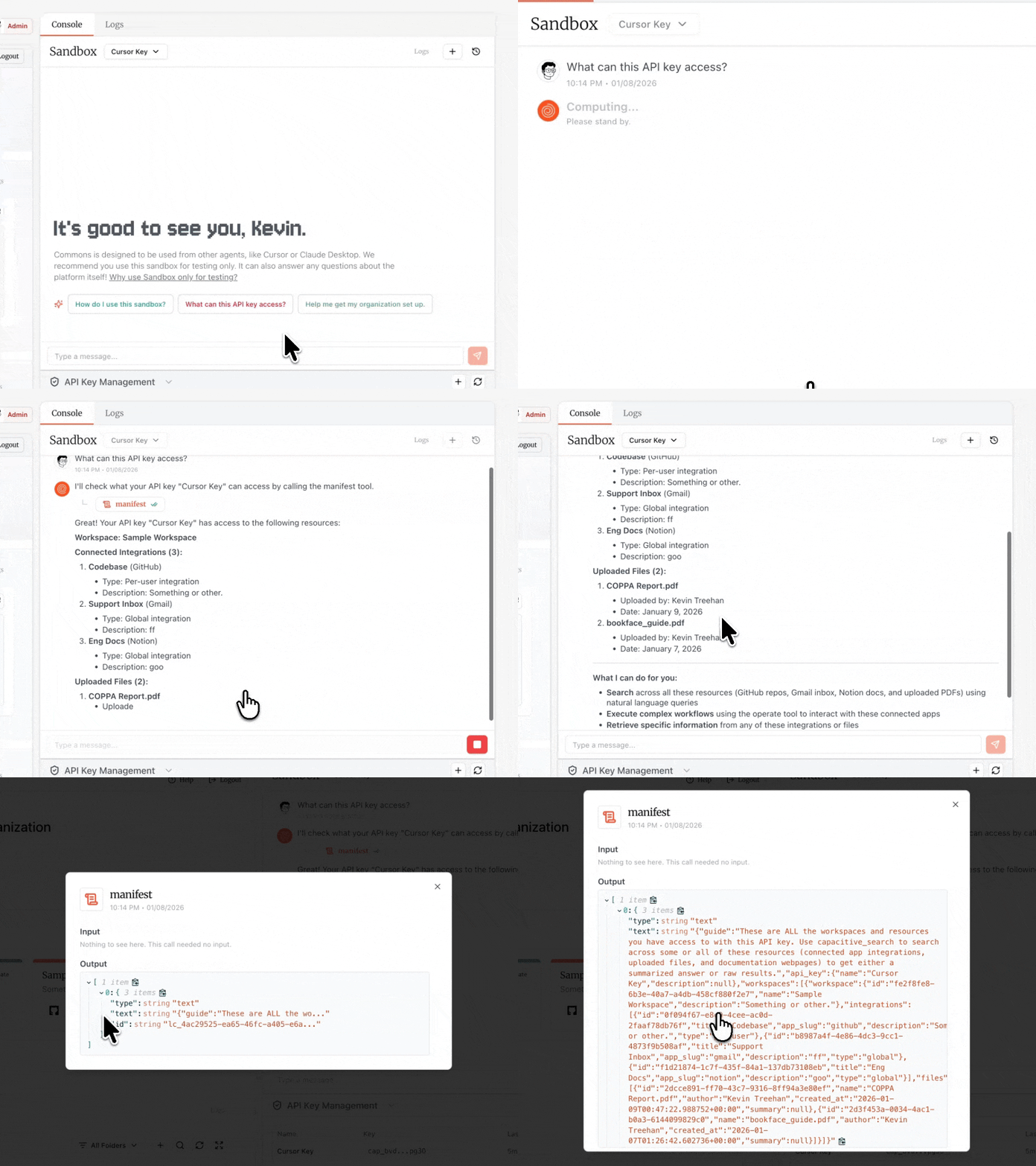
Agents call manifest to get a complete inventory of everything accessible with your Agent Key. This returns all workspaces, connected integrations, uploaded files with summaries and metadata, and passthrough tools information if enabled.Details
Details
InputNo parameters required.The manifest tool is simply a utility function for your agent to get a lay of the land. The example call below was done in our own Sandbox. The Sandbox agent confirms it has access to a sample workspace. Visit the Sandbox page to learn more.