Skip to main contentOne of the key advantages of using Commons is centralized auditability. Instead of scattered logs across individual agents and services, Commons provides a single source of truth for every tool call, search query, and integration access, making compliance and debugging straightforward.
Activity Logs
Activity Logs track all management and configuration changes across your organization, as well as tool call fingerprints. Access these in the right pane of your dashboard by selecting the Logs tab.
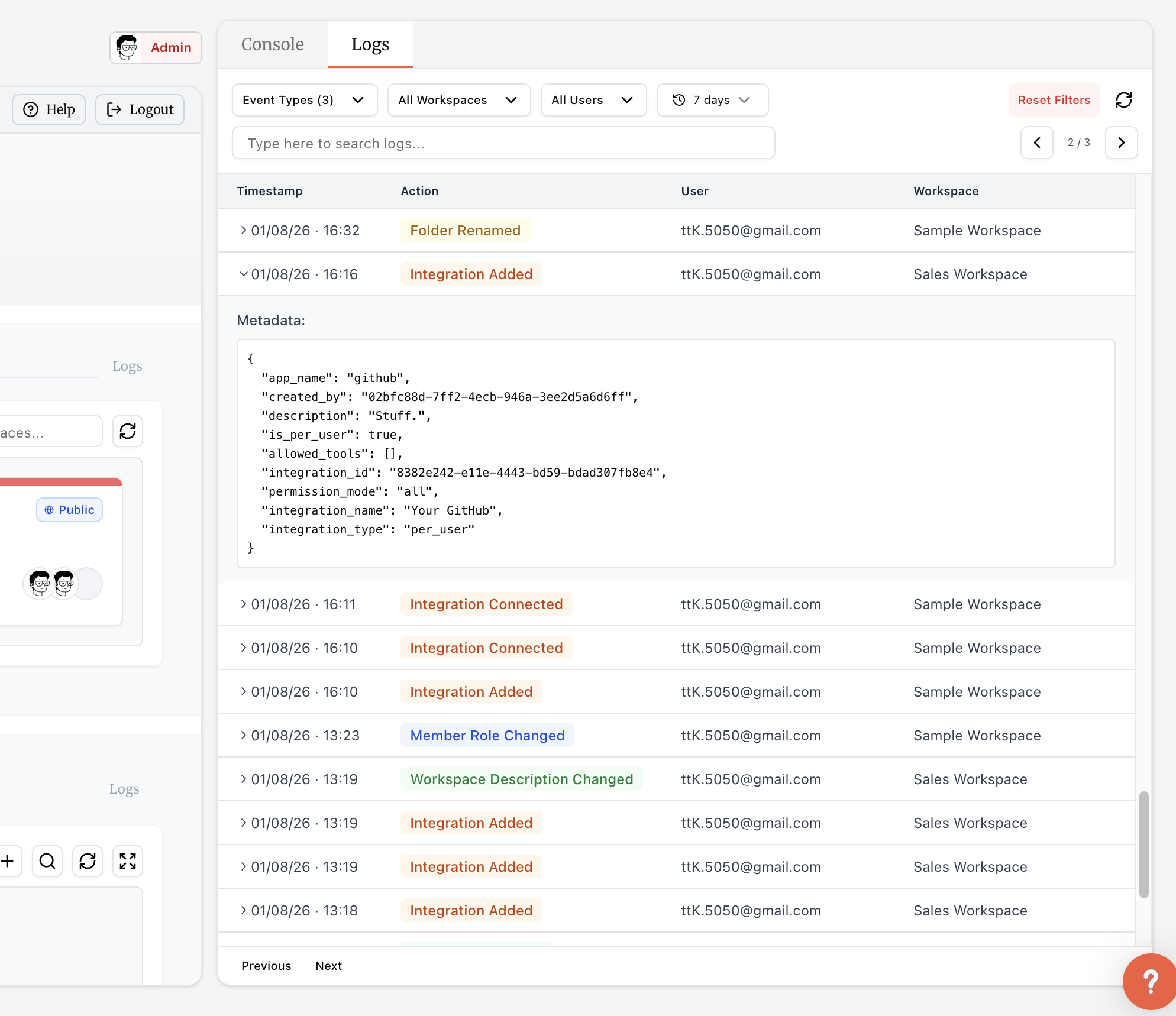 These logs capture:
- Organization Activity: User management, role changes, billing updates, and more.
- Workspace Activity: Workspace creation, member changes, settings changes, and more.
- Knowledge Activity: Knowledge base additions, updates, and more.
- Integration Activity: Integration creation, per-user connection logs, and more.
- Tool Call Fingerprints: Which tools were called from which integrations and when (no input/output data).
Use the filter bar to narrow down activity by event type, workspaces, users, or date range. Click any log entry to expand it and view detailed metadata about the action.
Organization administrators can view all activity logs. Managers and members can view activity logs related to workspaces they’re members of.
Agent Key Invocation Logs
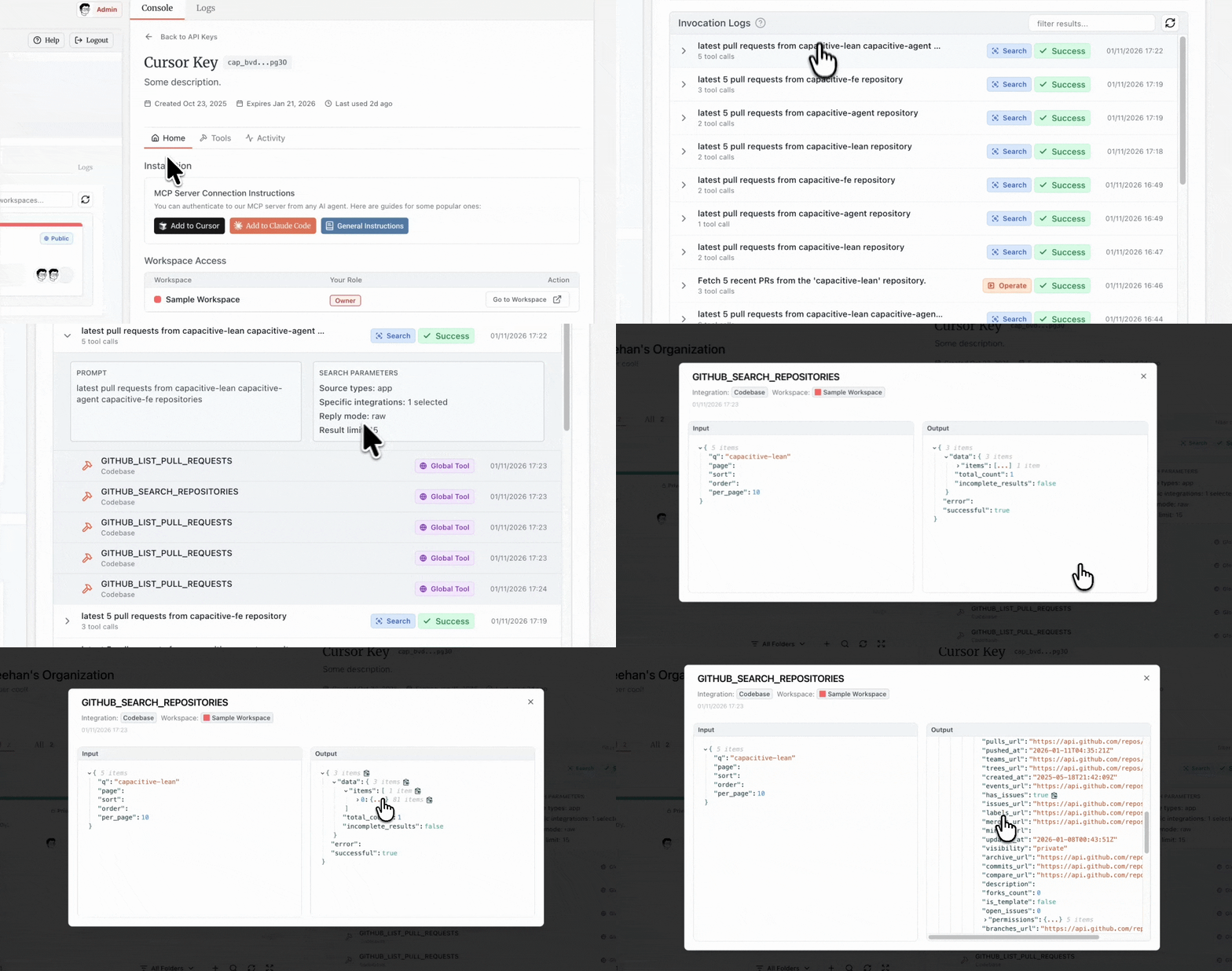
Unlike Activity Logs that show fingerprints visible to your team, Invocation Logs are private to you. They contain detailed records of every execution from your Agent Keys — prompts, execution plans, tool inputs, and outputs. Access these from the Logs tab on any Agent Key’s details page.
Click any execution to expand and view its prompt, execution plan or search parameters, and all tool calls. Click a tool call to see its complete input and output.
Data Retention
Contact [email protected] to chat about any custom requirements you have.