Skip to main contentPassthrough tools provide direct access to specific integration tools without going through our core engine. While our search and operate tools intelligently route requests across all your integrations, passthrough tools let agents call specific integration functions directly — like JIRA_LIST_TICKETS or GMAIL_SEND_EMAIL.
Use passthrough tools when you need:
- Atomic operations: Direct access to a single tool for frequent, simple tasks.
- Lower latency: Bypass the engine’s routing and planning for faster execution.
- Fine-grained control: Explicitly choose which integration tools an agent can access.
From your Agent Key’s details page, navigate to the Tools tab. Here you’ll see all integrations from the workspaces your Agent Key can access, organized by workspace.
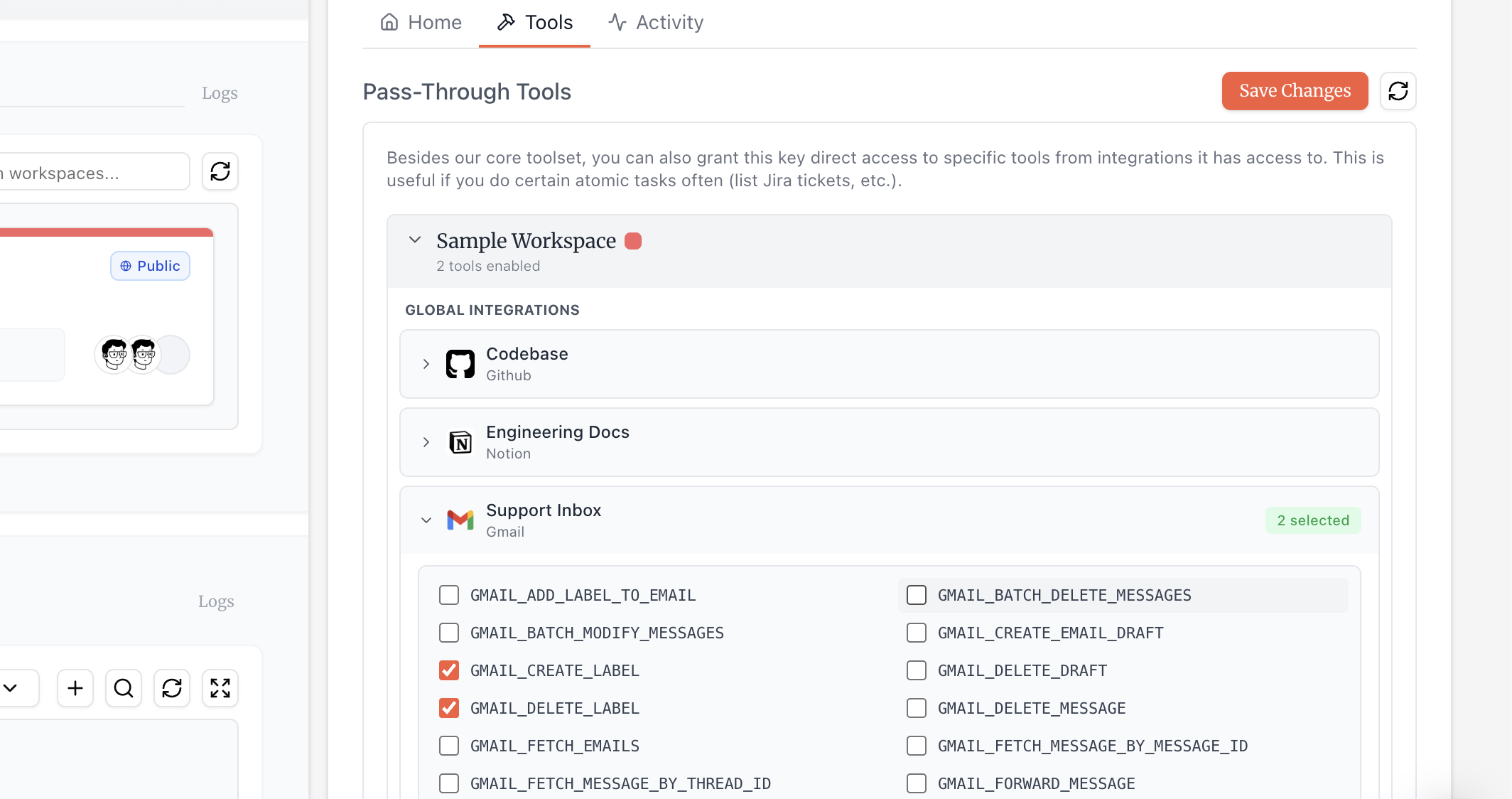 Each integration shows:
- Integration type: Global (shared) or per-user (individual).
- Connection status: Whether the integration is active and connected.
- Available tools: The specific tools you can enable.
Click an integration to expand it and view its available tools. Check the boxes next to the tools you want to enable, then click Save Changes.
The tools available for passthrough are limited by each integration’s permission settings. For example, if an integration is configured to only allow read-only tools, you can only enable passthrough for those read-only tools from that integration. If an integration is deleted, or if an integration is edited and a tool that was previously allowed is no longer permitted, those tools will automatically be removed from passthrough.
Once enabled, passthrough tools become available to your AI agent (Claude Desktop, Cursor, etc.) alongside our built-in tools. Your agent decides when to use passthrough tools vs. our engine based on the task. For example, asking your agent to “check my Jira tickets” might use a passthrough tool, while “find all mentions of this bug across Jira, Slack, and GitHub” would use search.
Best Practices
- Start minimal: Only enable the specific tools your agent needs. You can always add more later. Too many pass-through tools can overload your agent’s context window.
- Consider permissions: Some integration tools require specific OAuth scopes. If a tool fails, check that the integration’s connection has the necessary permissions.